> For the complete documentation index, see [llms.txt](https://docs.msquared.io/llms.txt). Markdown versions of documentation pages are available by appending `.md` to page URLs; this page is available as [Markdown](https://docs.msquared.io/creation/unreal-development/features-and-tutorials/crash-reporting.md).
# Crash Reporting
{% hint style="success" %}
verified: 2025-11-19 version: v39
{% endhint %}
{% hint style="warning" %}
To use this dashboard, you'll need an API key generated for you. Please reach out to your support engineer to get an API key.
{% endhint %}
With publishing games to the public, it is inevitable that your users will run into crashes.
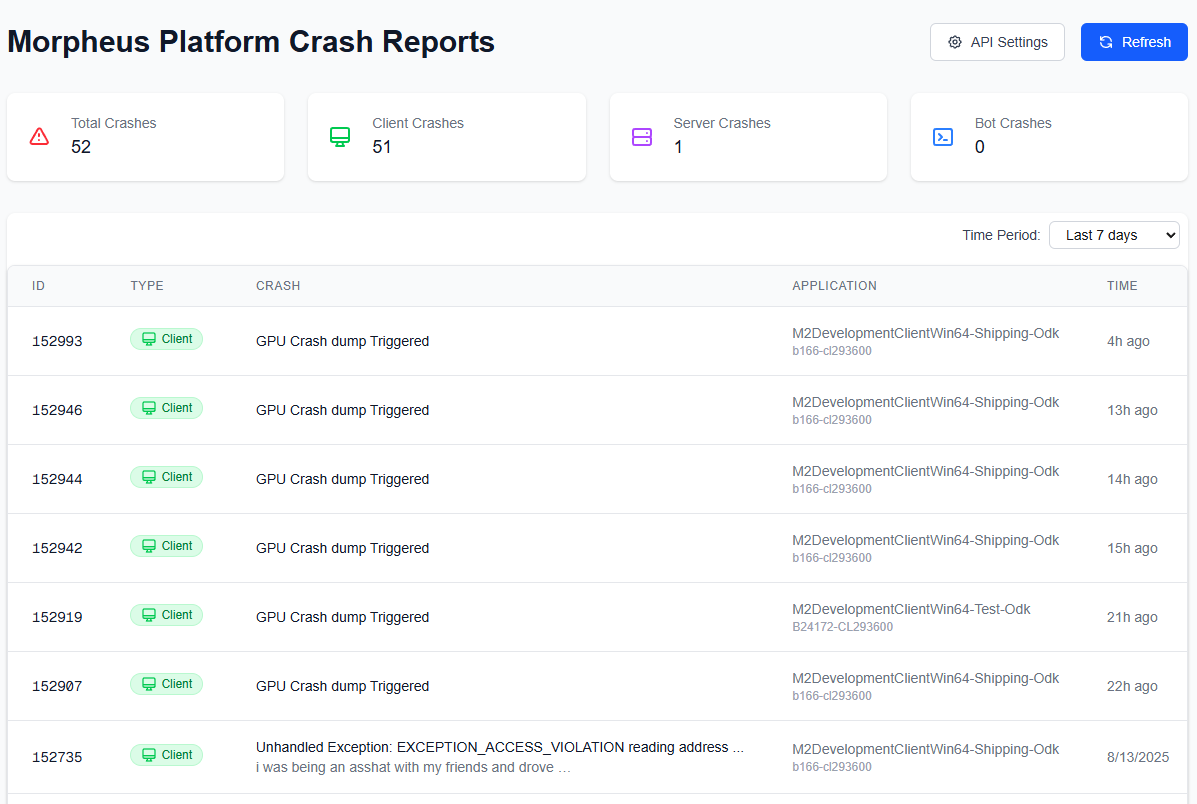
We provide a dashboard where you can see all recent crashes in your organisation and project:
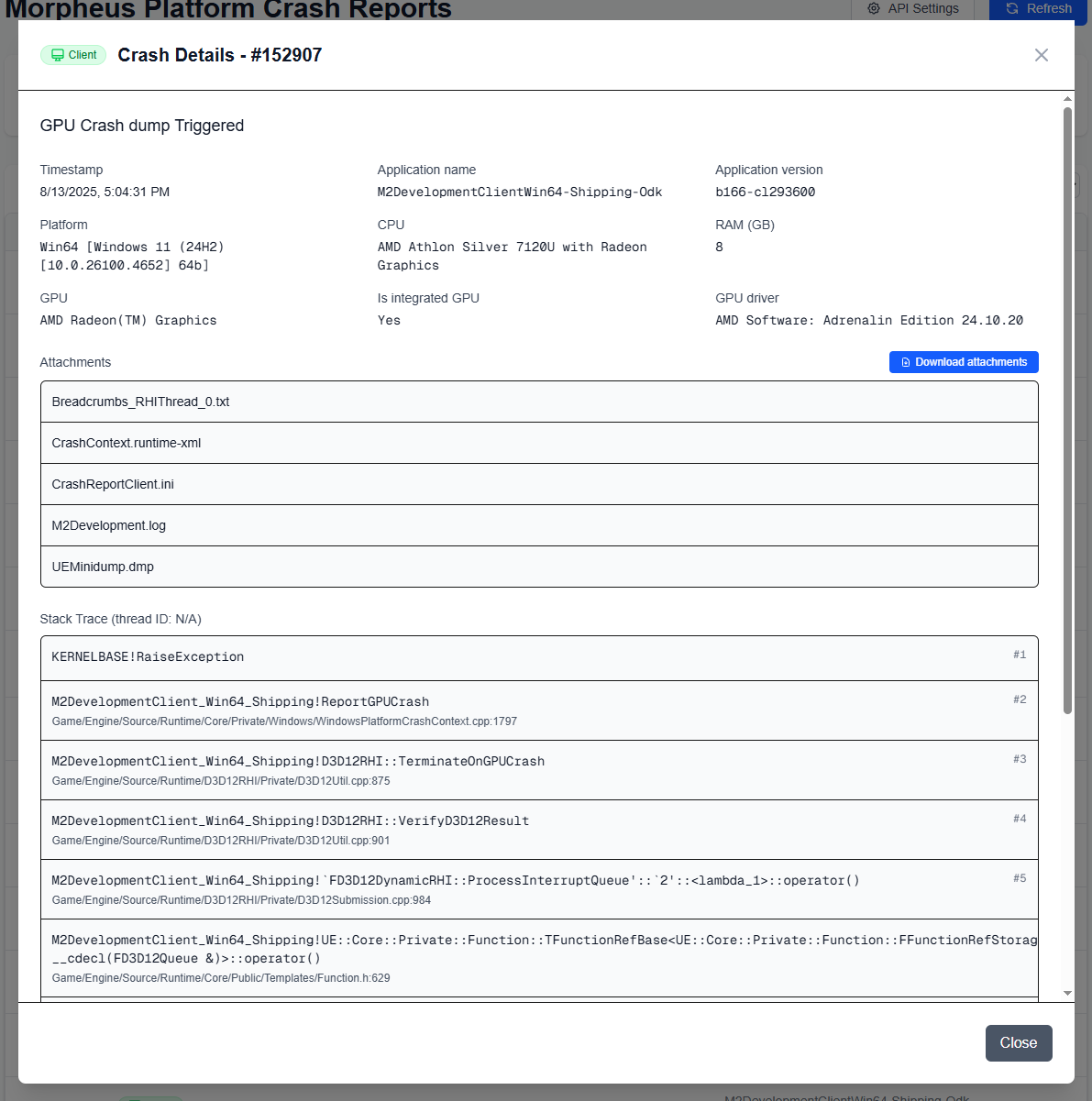
You can get additional details for each crash, including the user's hardware and callstack:
There are also various crash-specific attachments which might be of value to you. Of particular relevance:
* `M2Development.log` contains the user's log with timestamps, which provides signifcant context about the state of the application and how the user got there.
* `CrashContext.runtime-xml` is a XML file with information about the user's hardware and World Builder information.
## Common crashes
### GPU Crash dump Triggered
A GPU crash is always fatal, and it can be caused by a very large number of reasons. However, by far the most common one is that the user is using a device which is below the minimum spec listed in [Hardware Requirements](/creation/running-events/player-entry/minimum-hardware-requirements.md). The majority of these crashes are from users trying to run the game using an integrated GPU, which is wholly incapable of handling Unreal 5.
### Unhandled Exception: EXCEPTION\_STACK\_OVERFLOW
This normally indicates an infinite loop within your blueprints.