> For the complete documentation index, see [llms.txt](https://docs.msquared.io/llms.txt). Markdown versions of documentation pages are available by appending `.md` to page URLs; this page is available as [Markdown](https://docs.msquared.io/creation/unreal-development/features-and-tutorials/video-players/streaming-video-player.md).
# Embedded Unreal Video Player
{% hint style="success" %}
verified: 2025-11-20 version: v39
{% endhint %}
### Overview
We use Epic's Electra Media Player. It allows you to play a video stream or file, either locally or over the web, using `file:\\`, `ftp:\\`, `http:\\`, `rtsp:\\` protocols.
\
Video can be live streamed using HLS over the internet. Electra has all the usual video player support (pausing, seeking, skipping etc). For more information see:
* [Electra Media Player](https://docs.unrealengine.com/5.0/en-US/electra-media-player-in-unreal-engine/)
* [Media Framework Technical Reference](https://docs.unrealengine.com/5.0/en-US/media-framework-technical-reference-for-unreal-engine/)
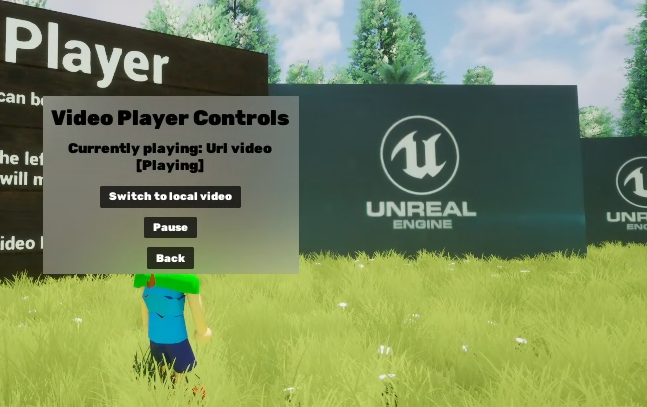
We have an example asset in the `M2Example` plugin that demonstrates playing local or url videos: `BPM_M2Example_SyncedVideoPlayer`. For more details on how this works, see [Example Synced Video Player](/creation/unreal-development/features-and-tutorials/video-players/streaming-video-player/example-synced-video-player.md).
### FAQ
Q: What is the difference between Electra Media Player and [Millicast](/creation/unreal-development/features-and-tutorials/video-players/millicast-video-streaming.md)?
A: Millicast is used to stream (that is: record a screen, encode it & play it live in the experience).\
The Electra Media Player is used to take an existing video stream or file & play it in the experience.
There is some overlap in possible use cases, but Millicast is overkill if you just want to play a pre-recorded video.
Q: What specification should I encode my video at for optimal playback.
A: We test with video assets encoded using [ffmpeg](https://www.ffmpeg.org/). Assuming that your input video has the correct video and audio codecs (see [Media Framework Technical Reference](https://docs.unrealengine.com/5.0/en-US/media-framework-technical-reference-for-unreal-engine/)) then this command will give you a reasonably compressed mp4 file: `ffmpeg.exe -i in.mp4 -crf 28 -preset slow -vf out.mp4`