> For the complete documentation index, see [llms.txt](https://docs.msquared.io/llms.txt). Markdown versions of documentation pages are available by appending `.md` to page URLs; this page is available as [Markdown](https://docs.msquared.io/creation/unreal-development/features-and-tutorials/helpers-and-extras/delay-buffer.md).
# Delay Buffer
{% hint style="success" %}
verified: 2025-12-04 version: v39
{% endhint %}
The `M2_DelayBufferComponent` is a helper component that can be used to efficiently sync a data stream to a timestamp, for example to synchronise live streamed lighting data with a separate local timestamp.
The input data is a series of structs (all of the same type) with an associated timestamp. These are added to the delay buffer as they arrive. Then later the data is queried by requesting a timestamp from the buffer and it will return the data from that timestamp, optionally interpolating.
## Usage
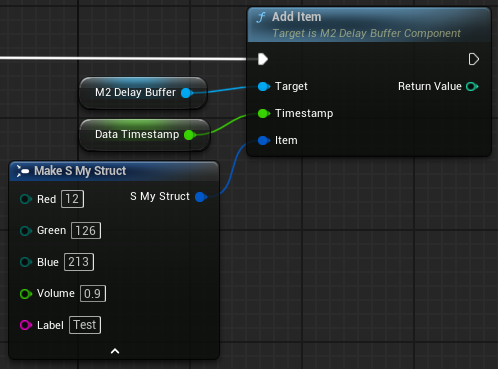
Add a `M2_DelayBufferComponent` to your actor, and call `AddItem` with the data and associated timestamp for each new entry. It will return the number of entries currently in the buffer:
Call `GetItem` to retrieve the data at a specific timestamp:
The timestamp will be clamped between the timestamps of the first and last entries in the buffer. If `Interpolate` is true then any numeric struct members will be interpolated in the retrieve data (strings etc will just return the value that was last set up until that timestamp). Use `RemoveOlderItems` to manage the size of the buffer, by automatically removing any items that will no longer be used, assuming that the requested timestamp increases monotonically.
There is no enforcement on the nodes that the same struct type is used for every Add and Get call. It is the user's responsibility to use the same type for every call on a given component. If the wrong type is used, an error will be logged and execution will abort.
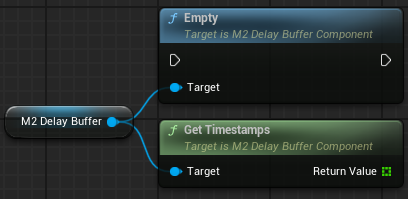
There are also functions to empty the buffer, and to retrieve a list of all timestamps already in the buffer.
.png?alt=media)