> For the complete documentation index, see [llms.txt](https://docs.msquared.io/llms.txt). Markdown versions of documentation pages are available by appending `.md` to page URLs; this page is available as [Markdown](https://docs.msquared.io/creation/unreal-development/features-and-tutorials/web-browser/setup-the-browser-widget.md).
# Setup the browser widget
{% hint style="success" %}
verified: 2025-11-20 version: v39
{% endhint %}
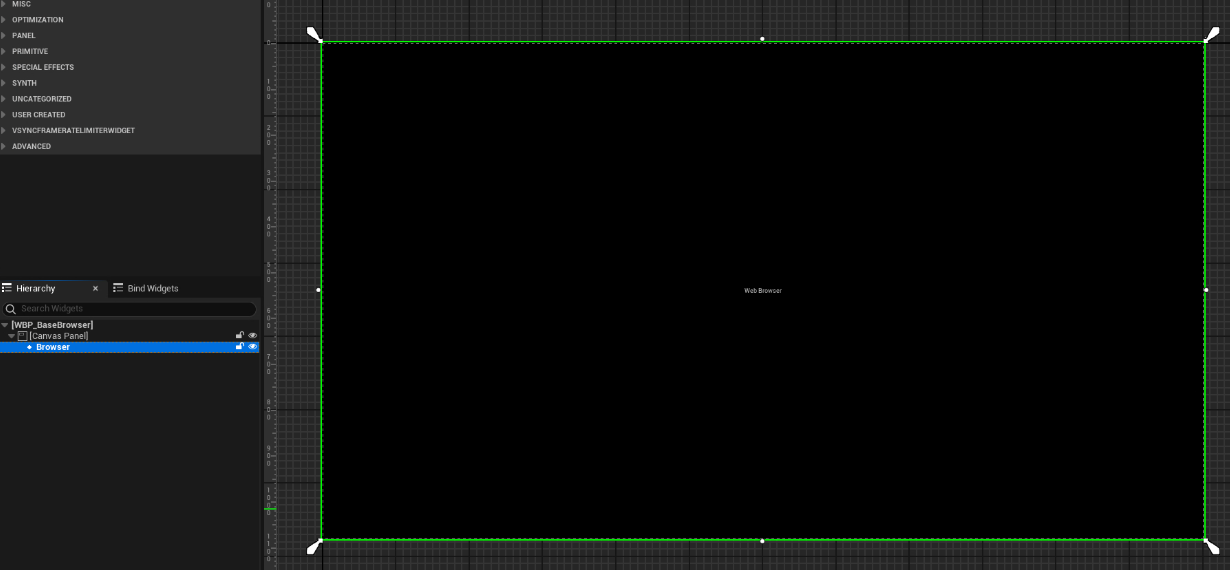
Create a widget blueprint that contains a `Web Interface` object.
`WBP_BaseBrowser` in the example content is an example of this.
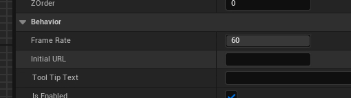
So you can easily test the browser works correctly when you add it to the viewport, set an `Initial URL` on the web interface to `https://docs.msquared.io` .